 DeskPlain
What is inside
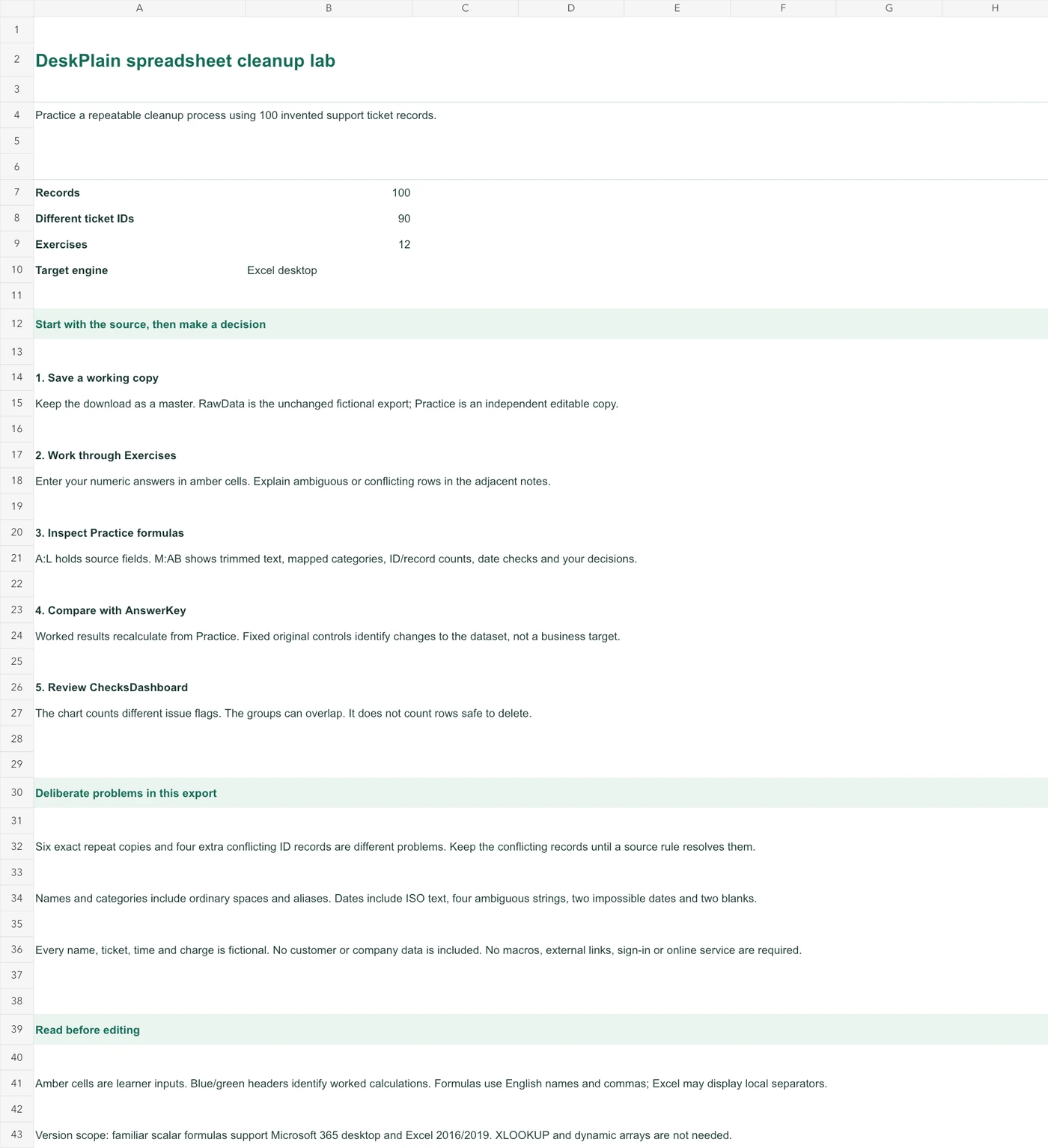
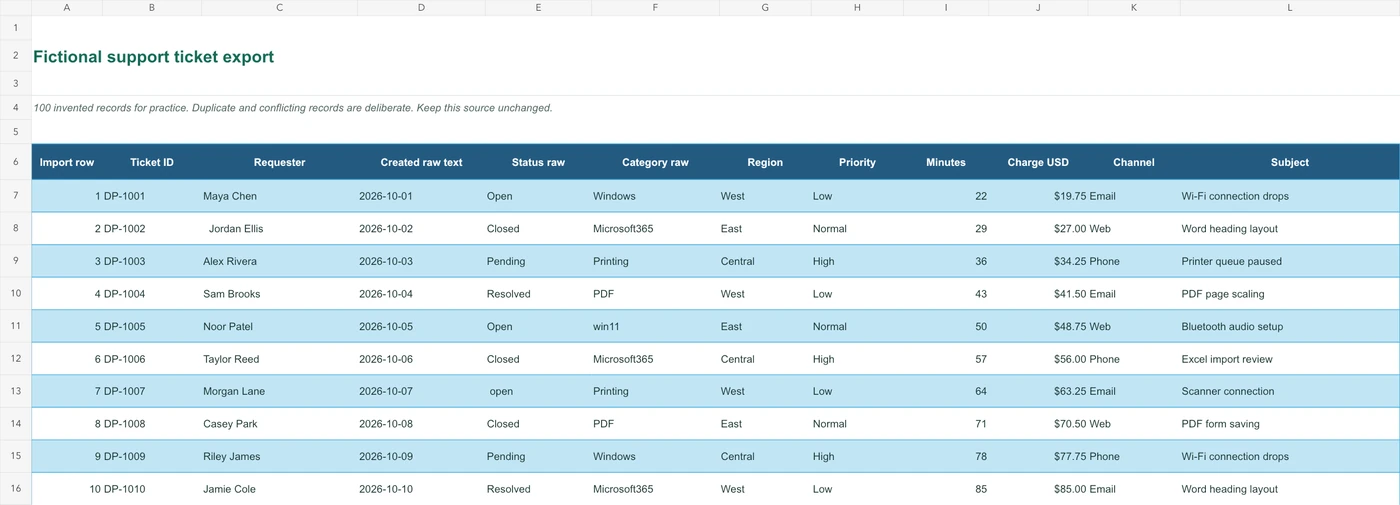
- 100 fictional support-ticket records across 7 workbook sheets
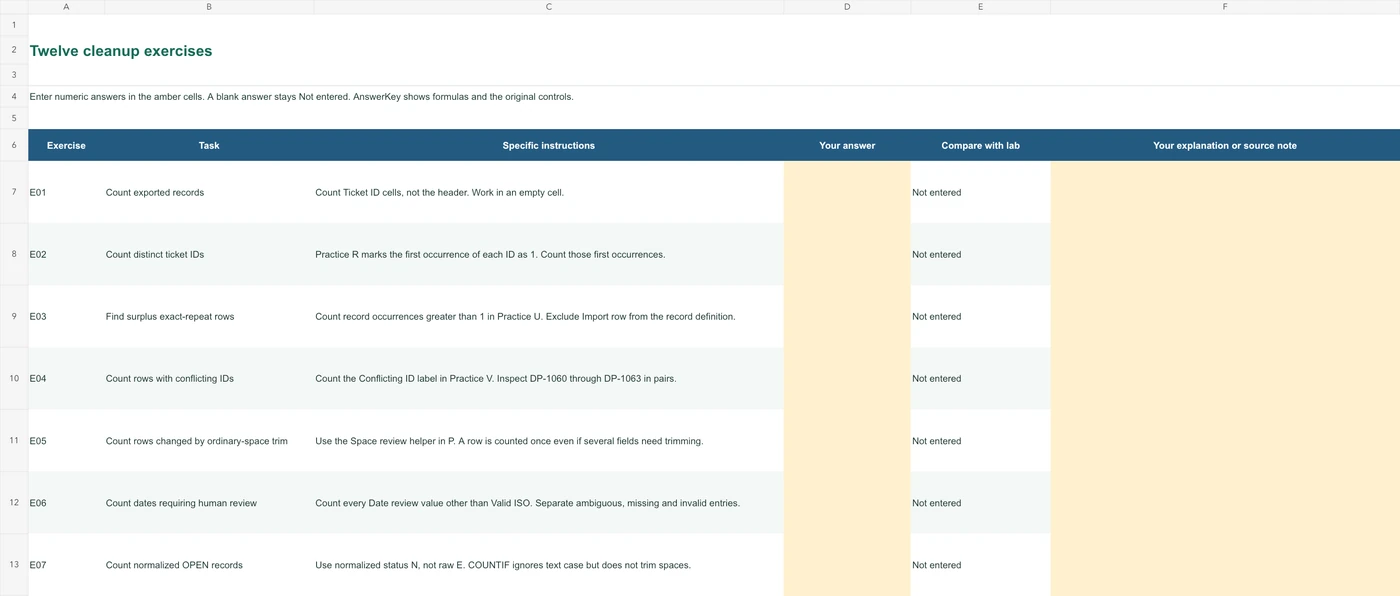
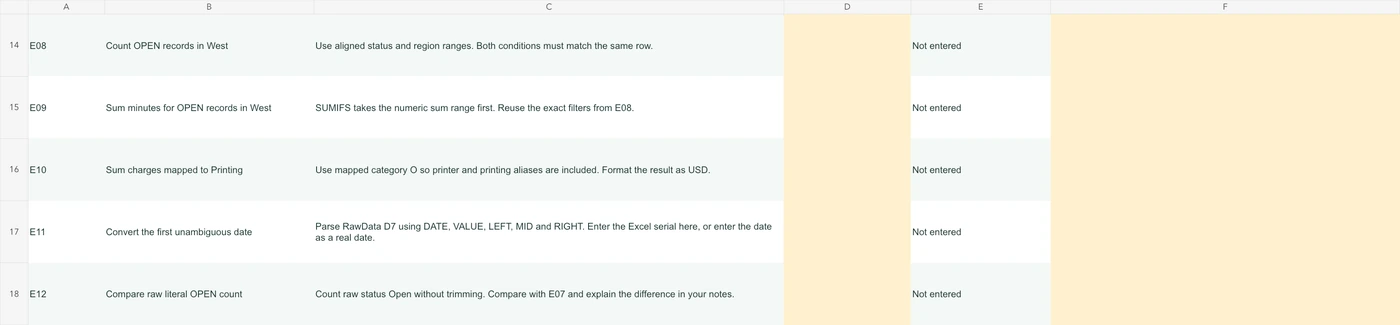
- 12 exercises with learner input areas and answer checks
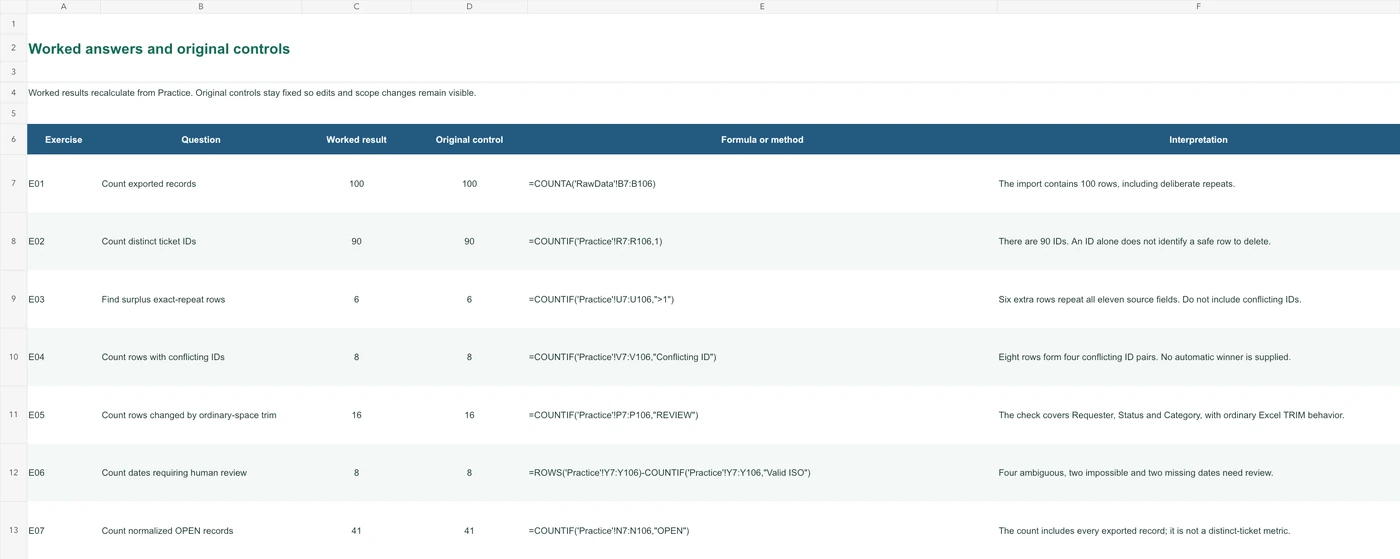
- Preserved RawData, an independent Practice area and an explained AnswerKey
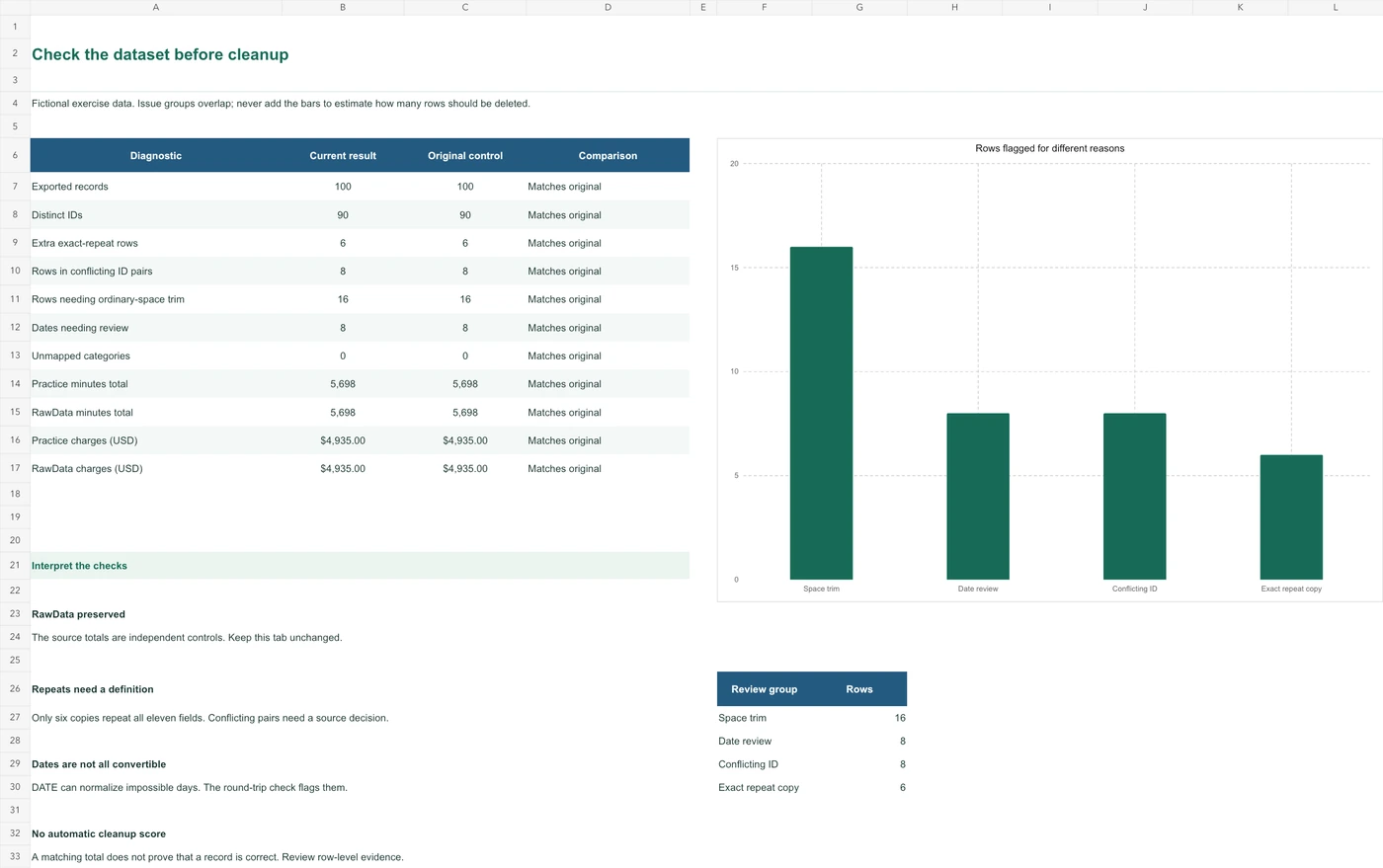
- Formula-based diagnostics, category lookups and a review chart
- Companion UTF-8 CSV in the full kit; it is a data copy, not the workbook
How to use it
Open the workbook in Excel. Preserve the raw sheet, work through the exercises, then compare the check formulas and expected answers.
Read the dataset definition
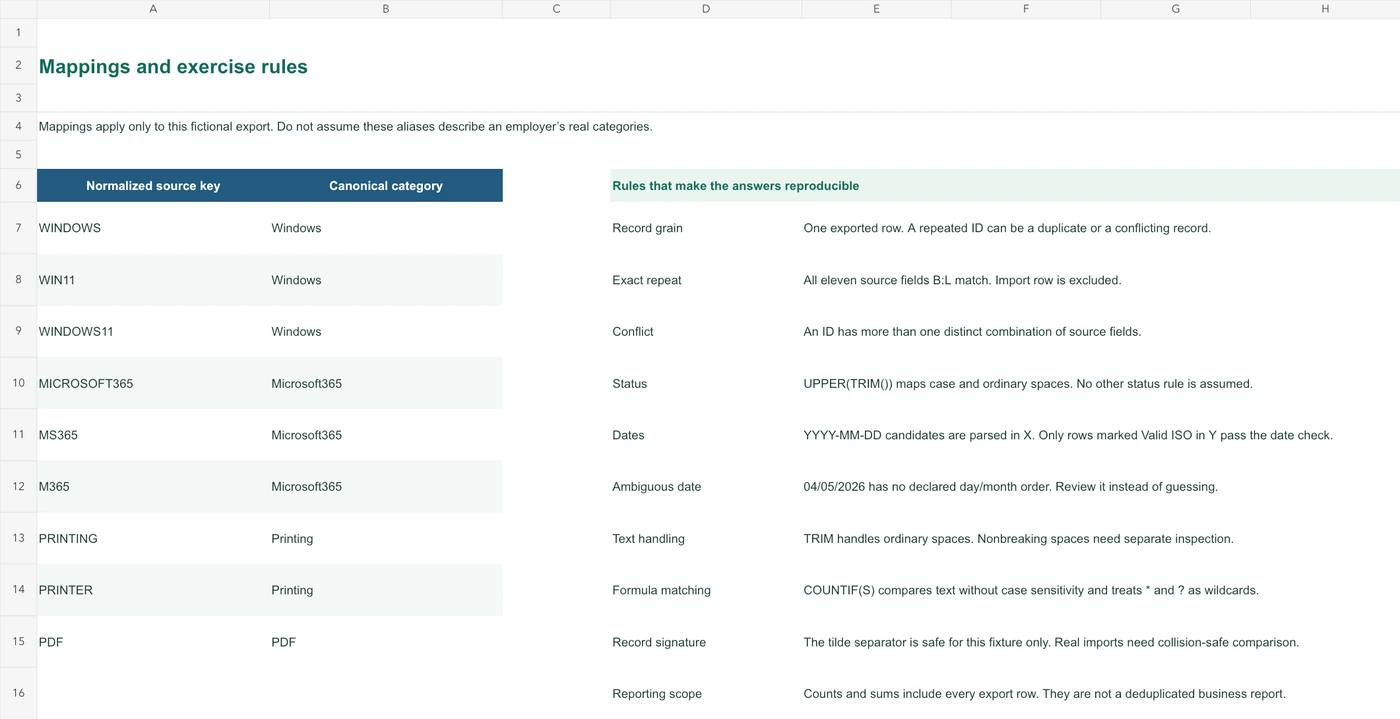
The ticket records are fictional teaching data. Start with the column meanings and the rules that distinguish a repeated record from a conflict.
Keep the raw evidence
Use the practice area for your changes. Keep the RawData sheet available to explain where a value came from.
Work through the exercises
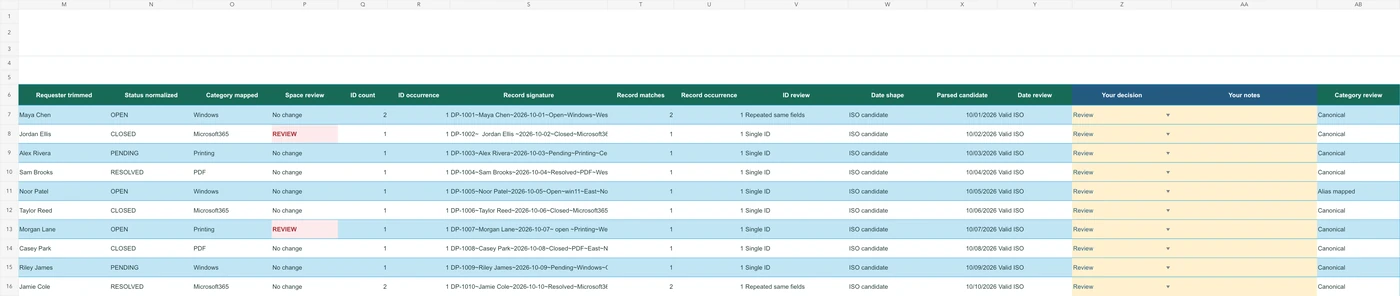
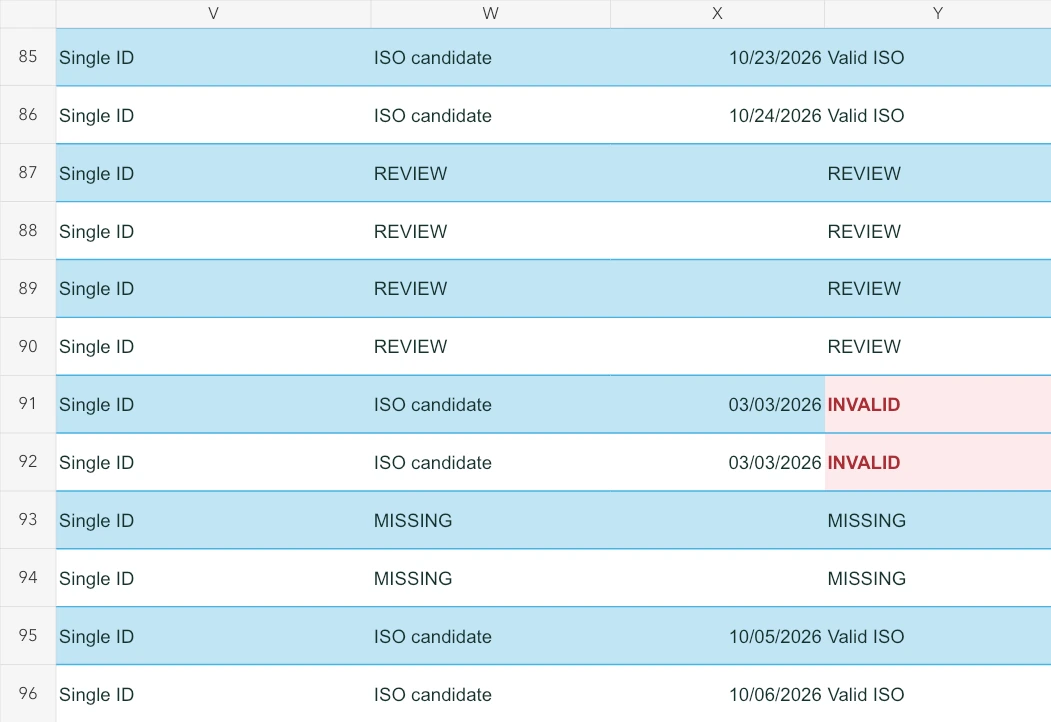
Review spaces, categories, repeated IDs and dates. The workbook separates these questions rather than treating every mismatch as an error to delete.
Explain the result
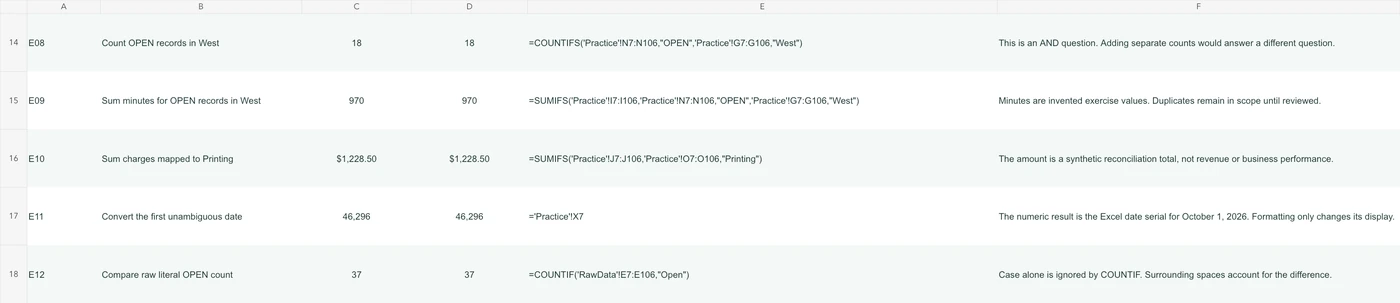
Use the answer key and diagnostics to compare counts and exceptions. A smaller dataset is not automatically a more accurate one.
Look through the pages.
Select a page to open the full-size image. Workbook previews show the labelled ranges from the actual file; open the XLSX to use the sheets and formulas.

Common questions
Is the data real?
No. It is an original fictional dataset designed to demonstrate common review problems. It must not be treated as operational or customer data.
Is a CSV file the same as the workbook?
No. CSV contains a single text table and does not preserve multiple sheets, formatting or the workbook’s calculations. The XLSX is the main learning resource.
Does the workbook clean my own files automatically?
No. It is a practice and reference workbook. Apply its reasoning to a copy of your own data only after you understand that data’s rules.